


Grandnavi HD Car DVR Dash Cam ADAS Video 720P USB TF Card 16G/32G Auto Recorder for Android Multimedia Player DVD Voice Alarm

Couldn't load pickup availability
Grandnavi HD Car DVR Dash Cam ADAS Video 720P USB TF Card 16G/32G Auto Recorder for Android Multimedia Player DVD Voice Alarm
Free Standard Shipping Over 59.00 USD+
Free Standard Shipping Over 59.00 USD+
Free shipping on all items in your cart of US$59 and above! At BeautyFashion, we work diligently to deliver your orders to you as quickly and securely as possible. Once your order is delivered to the courier, your tracking number will be automatically sent to your email address. With this information, you can easily track the status of your shipment in real time via the "Order Tracking" page on our website. While you enjoy the excitement of your order, we deliver it safely to you. Free shipping on all items in your cart of US$59 and above! At BeautyFashion, we work diligently to deliver your orders to you as quickly and securely as possible. After your order is delivered to the courier, your tracking number will be automatically sent to your email address. With this information, you can easily track the status of your shipment in real time via the "Order Tracking" page on our website. While you enjoy the excitement of your order, we deliver it safely to you.
Easy Returns within 30 days
Easy Returns within 30 days
-Items in the following categories cannot be exchanged or returned: Bikinis, swimsuits, lingerie, tights, hosiery, and accessories (excluding belts and bags), evening gowns, dresses, and corsets (our evening gowns are custom-made and therefore cannot be returned). We take the health and safety of our customers seriously, and intimate items cannot be resold after being opened or used.
🎁 Special End-of-Season Multi-Buy DISCOUNT!
- Extra 10% OFF on orders over 200 USD
- Extra 15% OFF on orders over 400 USD
- Extra 20% OFF on orders over 600 USD
DVR does not support connecting to any other device, It can only connect to Android car radio. If your car does not have an Android radio, it is not suitable for your car. Please do not buy!
How to connect DVR to Android radio?
①How to open ADAS function: Please click on Settings - App Update-Update-Install
②After the system update, ADAS features can be seen (if the update is listed as disabled by Google, please click more - choose still to install)
③Android Car Radio USB cable(You need to prepare it yourself) Our DVR does not have this USB cable. Please prepare it yourself or purchase an additional one. This does not belong to the DVR cable. If you mind, please do not buy our DVR!
Product Features
*APK for convenient installation
*Clear starlight night -vision video picture
*Lane departure warning ADAS
*Automatic function:Automatic recording when power on and automatic cyclic covering recording.
*Automatic synchronous vehicle-mounted time when power on
Please note:
This DVR product is only applicable to our Android car radio to watch videos, It can not directly display the video on your original car machine, you need to use the SD card to read the data to display.
Connect to USB to use
You can watch videos on the car radio by connecting USB. Easy to connect and easy to watch
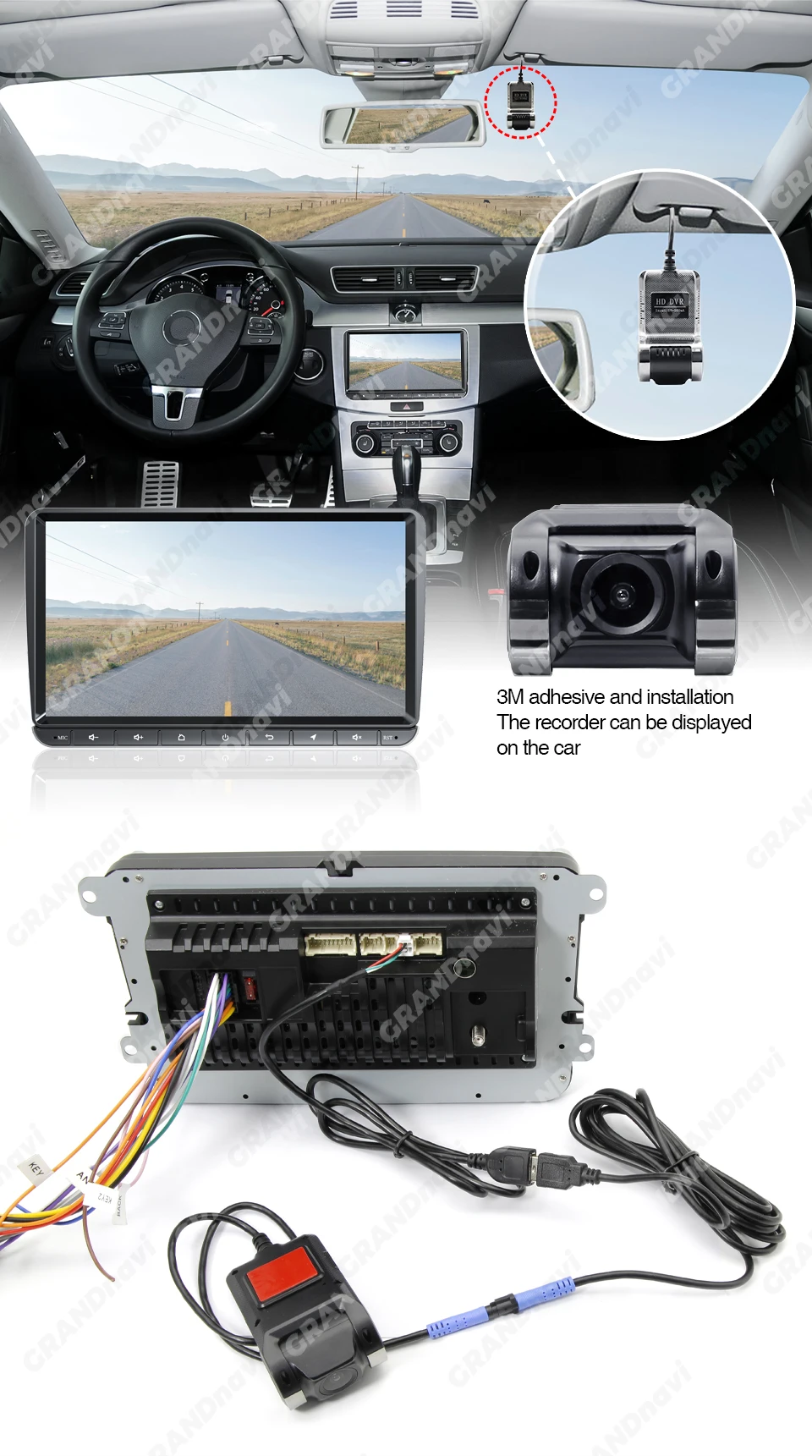

Automatic recording when power on and automatic cyclic covering recording.


Lane departure warning ADAS
The device automatically triggers a lane departure alarm when the driver unconsciously deviates from the original lane.

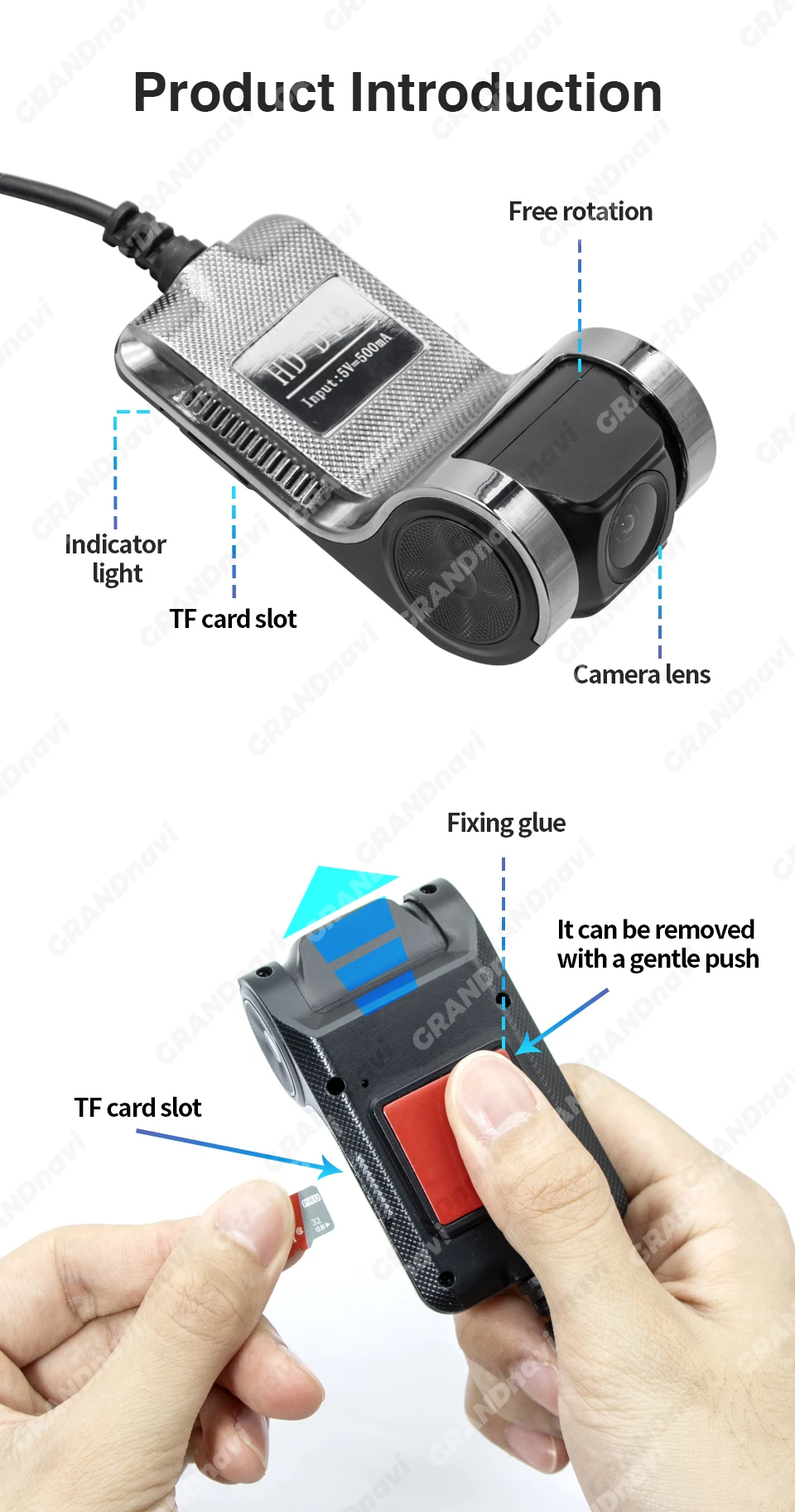
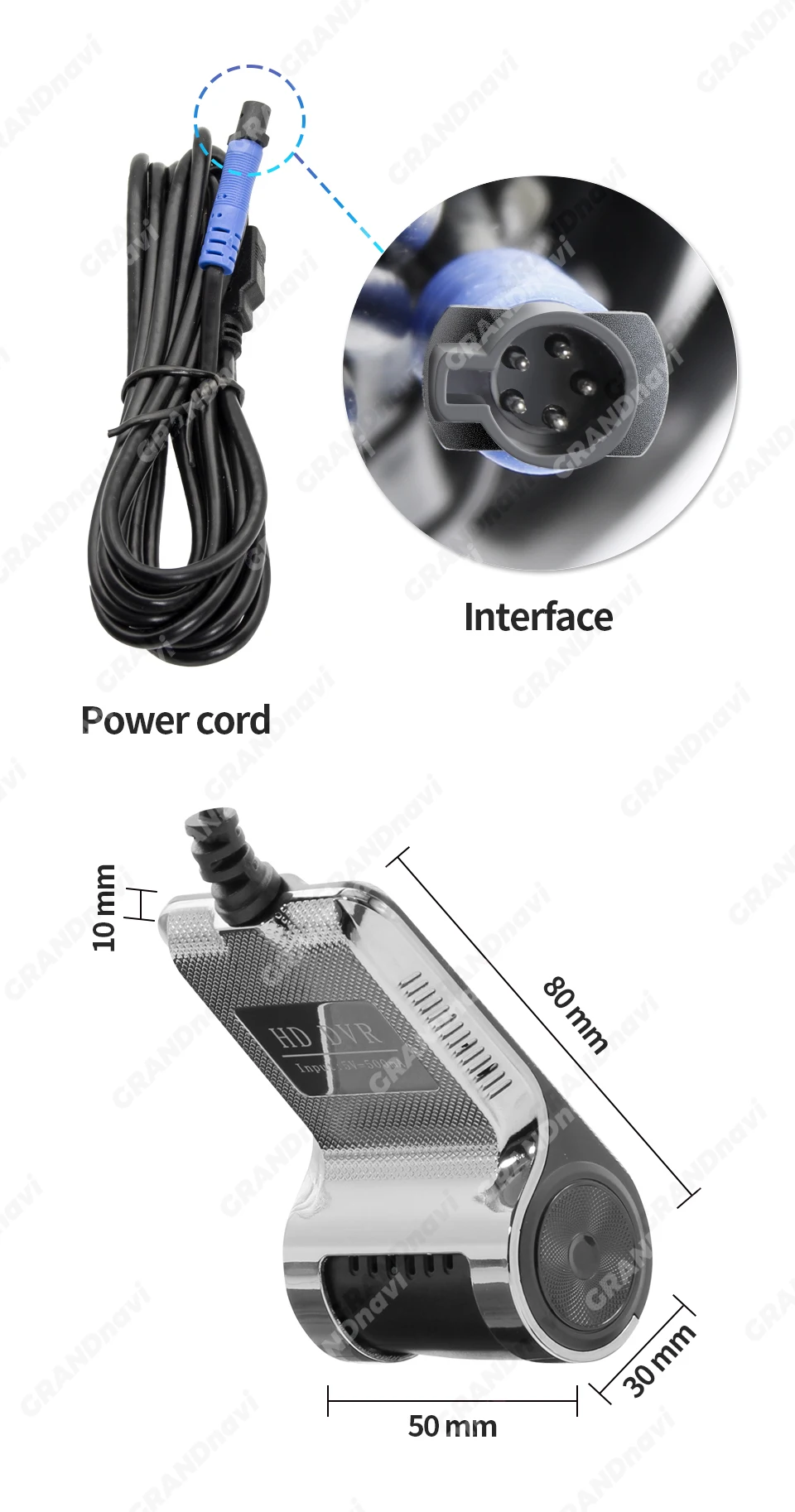

Notes:
Normally choose the random USB interface of the large screen host machine of connection,eg:USB1,Replace USB2 interface if the equipment can not be normally found
FAQ
Q: How do I install the DVR application?
A: We have reinstalled the application in dvr, just connect to your car radio, enter the file manager, find the Buildwin USB drive, click to enter, and then click to run "uCardvr.apk" to install and then complete;
Q: How to make ADAS work properly?
A: Enter the settings of the DVR application, find ADAS, and turn on all functions. It may be necessary to update the software. It is easy. Just connect to the wifi and click Update;
Q: Can DVR be connected to a phone or have wifi / Bluetooth capabilities?
A: No, not all of them are supported;
Q: How to watch the video recorded by DVR?
A: DVD is just to watch the video in real time. If you want to watch the video, please remove the SD card and then use a card reader to connect to the computer to watch;


You may also like
-
Lymphatic Drainage Drops Natural Herbal Lymph Support Liquid for Body Swelling Relief and Toxin Elimination 59ml 1/2/3pcs
Regular price From $14.99Regular price From $14.99 Sale priceUnit price per$17.9916% -
Rhode New Arrival Pocket Bronze Coutour Stick Face Blush Cheek Long Lasting Hydrating Face Highlighter Blush Bronzer Sculpting
Regular price From $14.99Regular price From $14.99 Sale priceUnit price per$11.99 -
RhodeSkin Peptide Lip Shape Pen Lip Liner Long Lasting Lip Tint Pencil Pen Makeup Lipstick Powder Blusher Gloss Makeup Lipliner
Regular price From $19.99Regular price From $19.99 Sale priceUnit price per$13.99 -
Rhode Powder Pocket Blush Hydrating Contouring Shading Face Nose Shadow Profile Natural Cream Lip Gloss Cheek Easy Apply Color
Regular price From $14.99Regular price From $14.99 Sale priceUnit price per$9.99


Contact Form
Fill out the form below and our team will get back to you within 24 hours.
Working Hours
- Monday - Saturday: 10:00 AM - 6:00 PM
- Sunday: Closed
Contact Information
WhatsApp: 📱 Contact us at +1 (585) 282-6773
E-mail: info@beautefashions.com