


M.2 NVMe SATA SSD Enclosure Visual Smart SSD Case USB 3.2 Gen 2 10Gbps NVMe PCI-E 20Gpbs


Couldn't load pickup availability
M.2 NVMe SATA SSD Enclosure Visual Smart SSD Case USB 3.2 Gen 2 10Gbps NVMe PCI-E 20Gpbs
Free Standard Shipping Over 59.00 USD+
Free Standard Shipping Over 59.00 USD+
Free shipping on all items in your cart of US$59 and above! At BeautyFashion, we work diligently to deliver your orders to you as quickly and securely as possible. Once your order is delivered to the courier, your tracking number will be automatically sent to your email address. With this information, you can easily track the status of your shipment in real time via the "Order Tracking" page on our website. While you enjoy the excitement of your order, we deliver it safely to you. Free shipping on all items in your cart of US$59 and above! At BeautyFashion, we work diligently to deliver your orders to you as quickly and securely as possible. After your order is delivered to the courier, your tracking number will be automatically sent to your email address. With this information, you can easily track the status of your shipment in real time via the "Order Tracking" page on our website. While you enjoy the excitement of your order, we deliver it safely to you.
Easy Returns within 30 days
Easy Returns within 30 days
-Items in the following categories cannot be exchanged or returned: Bikinis, swimsuits, lingerie, tights, hosiery, and accessories (excluding belts and bags), evening gowns, dresses, and corsets (our evening gowns are custom-made and therefore cannot be returned). We take the health and safety of our customers seriously, and intimate items cannot be resold after being opened or used.
🎁 Special End-of-Season Multi-Buy DISCOUNT!
- Extra 10% OFF on orders over 200 USD
- Extra 15% OFF on orders over 400 USD
- Extra 20% OFF on orders over 600 USD
20Gbps NVMe & SATA Dual Protocol
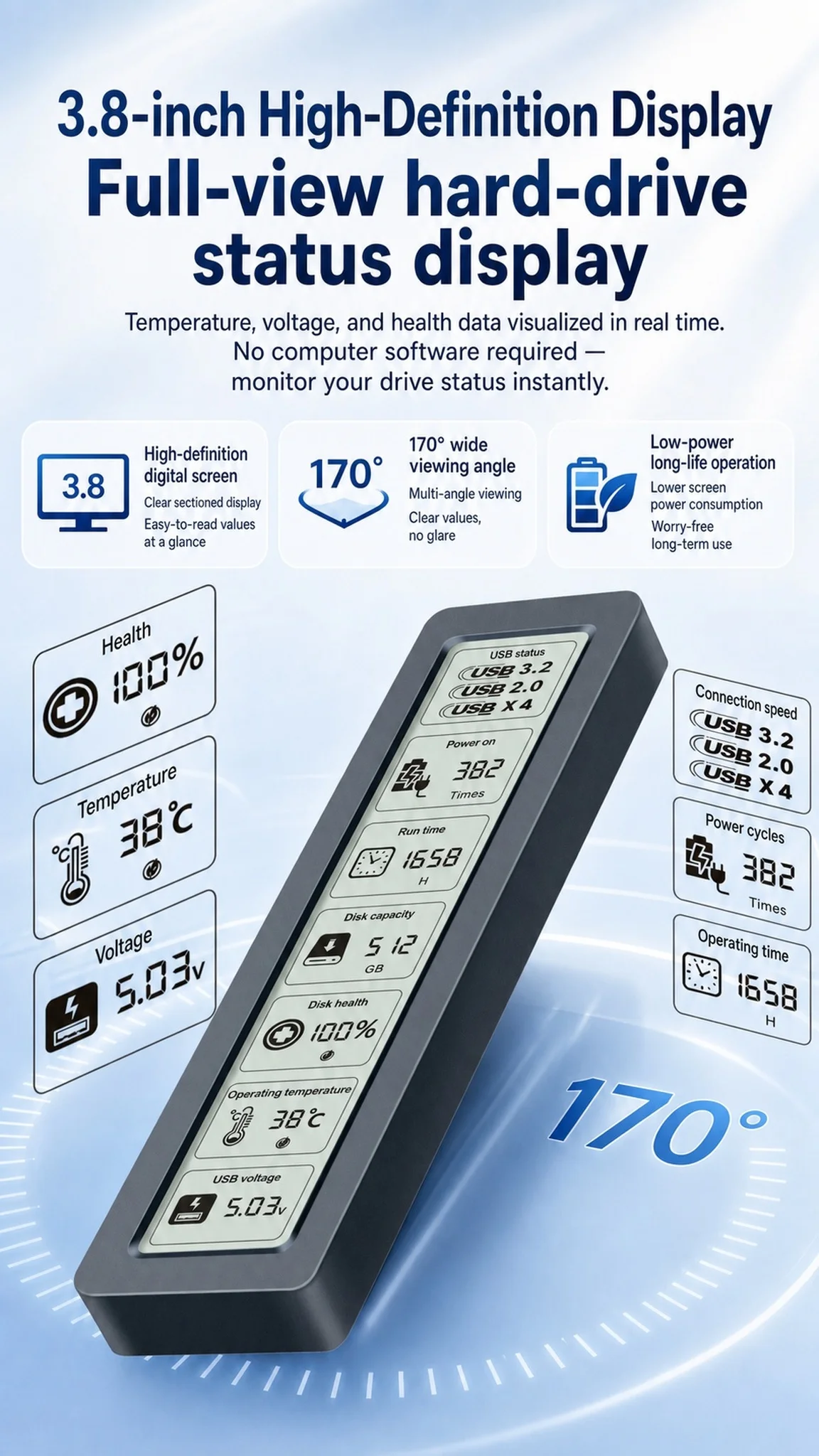
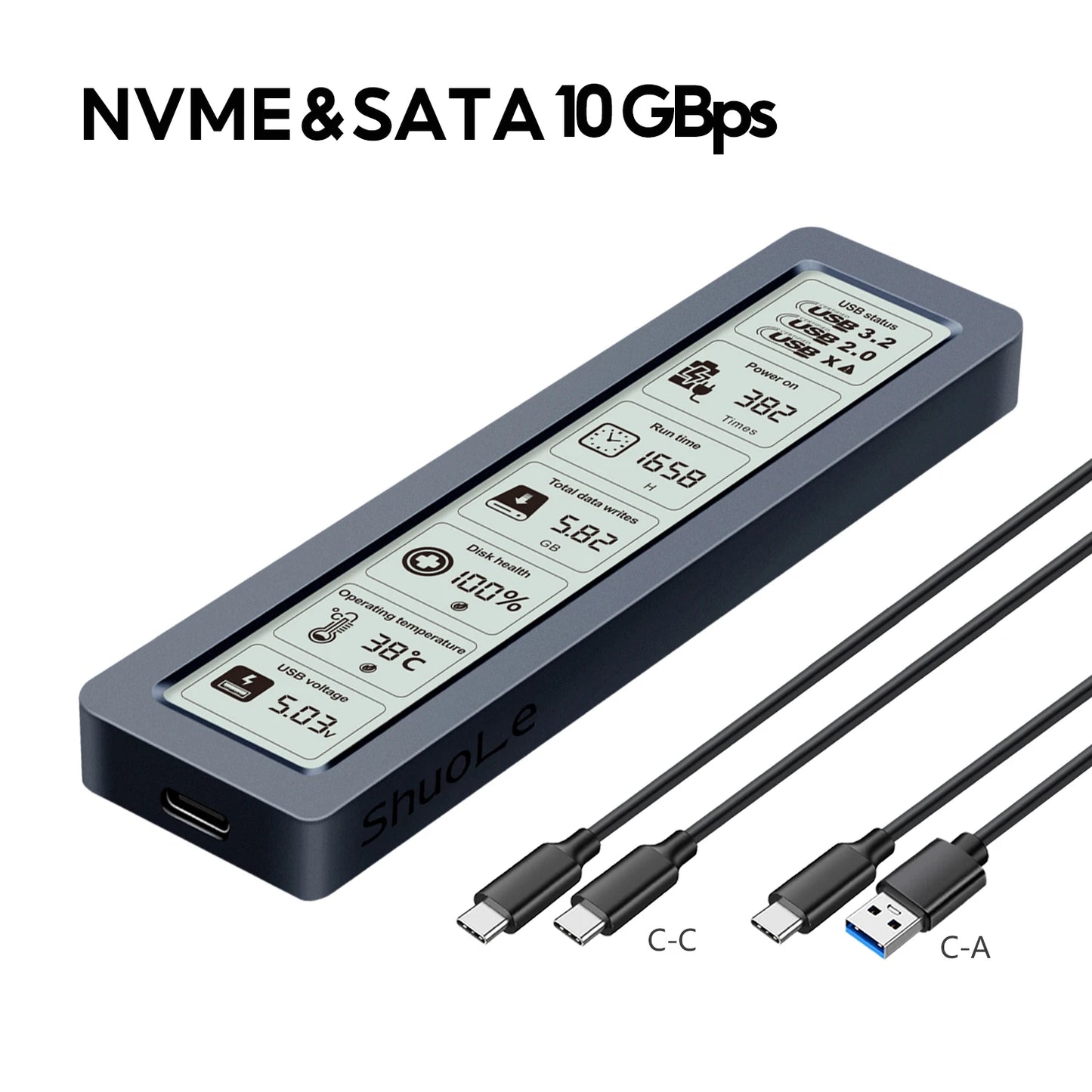
Adopting the latest USB 3.2 Gen 2x2 interface and equipped with a 3.8-inch display screen, this enclosure can real-time display the drive's SMART health information.
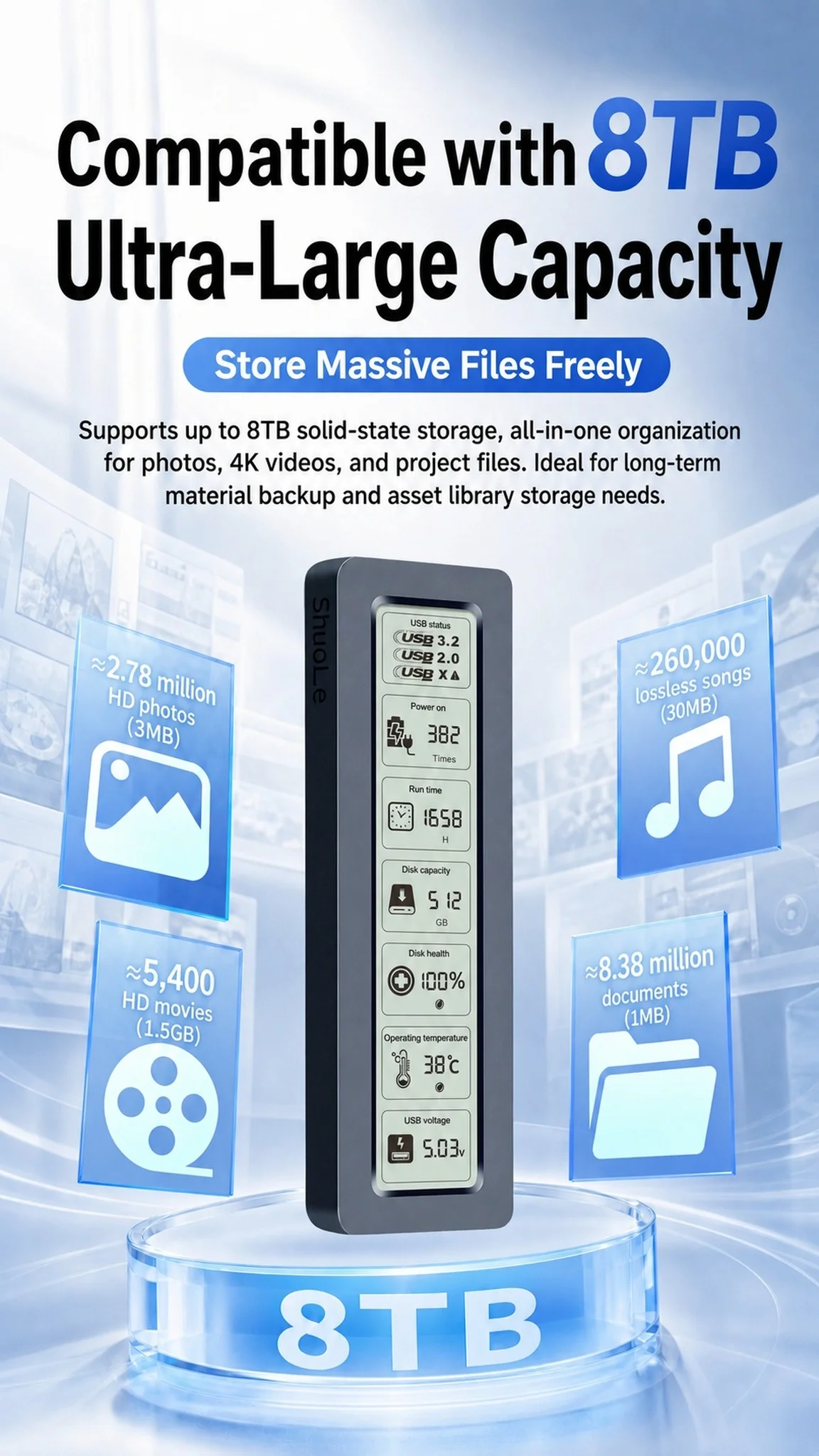
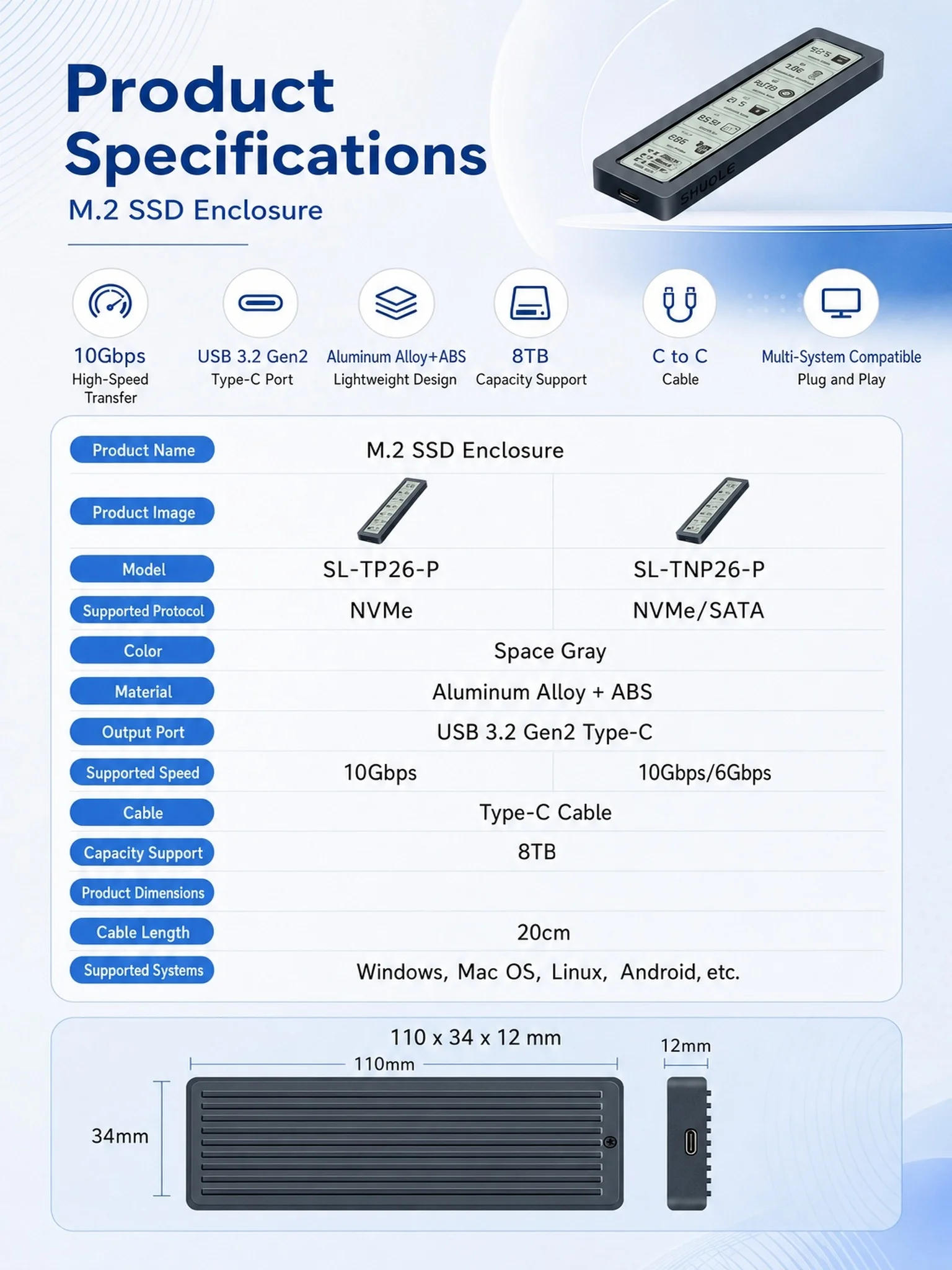
This M.2 enclosure delivers a 20Gbps data transfer speed for NVMe solid-state drives, while supporting SATA protocol with up to 6Gbps bandwidth. It supports hard drives with a maximum capacity of 8TB.
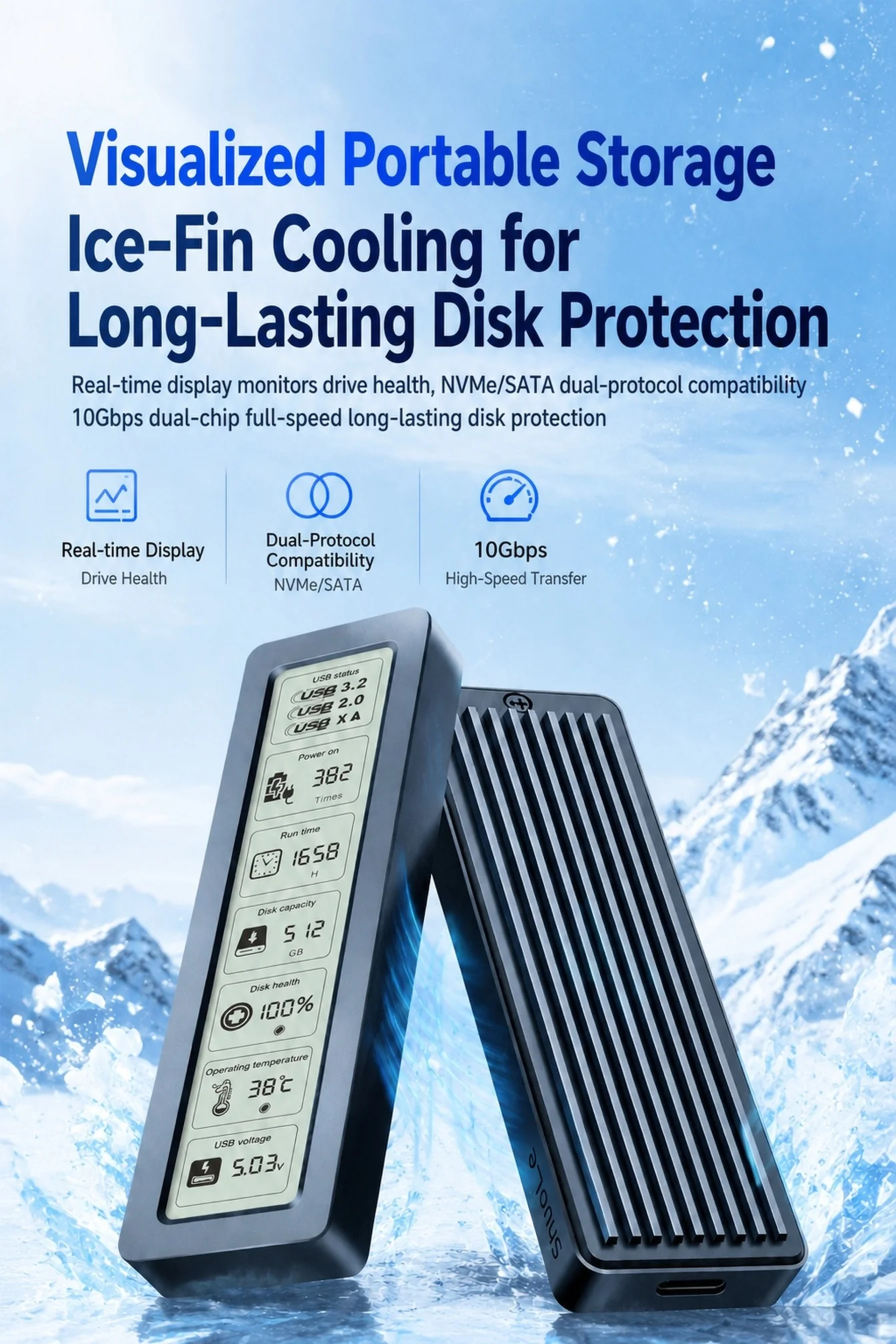
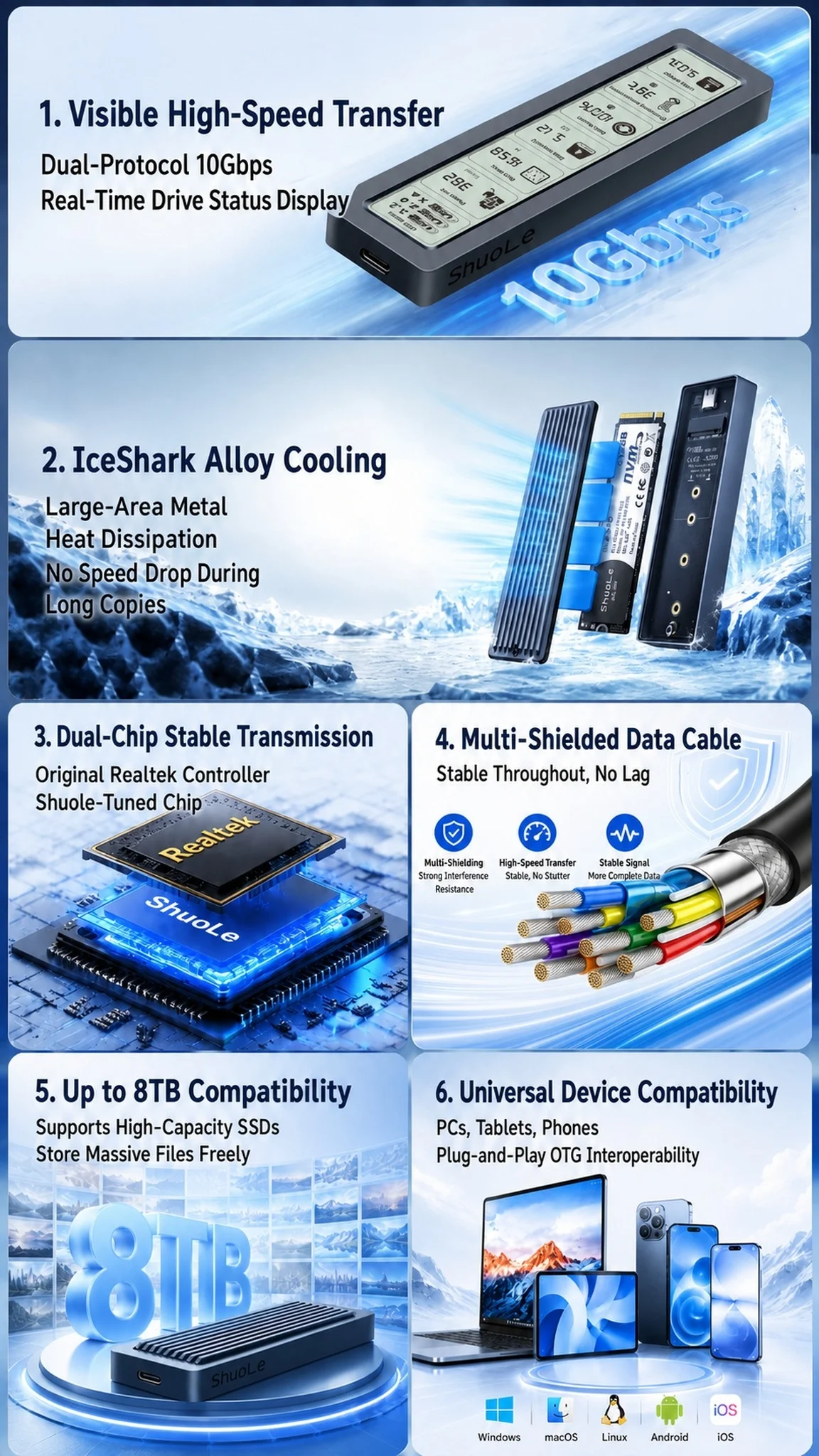
3.8'' HD Screen | 170° Anti-Glare Wide View
Real-time drive status monitoring, no software required, low power & long lifespan
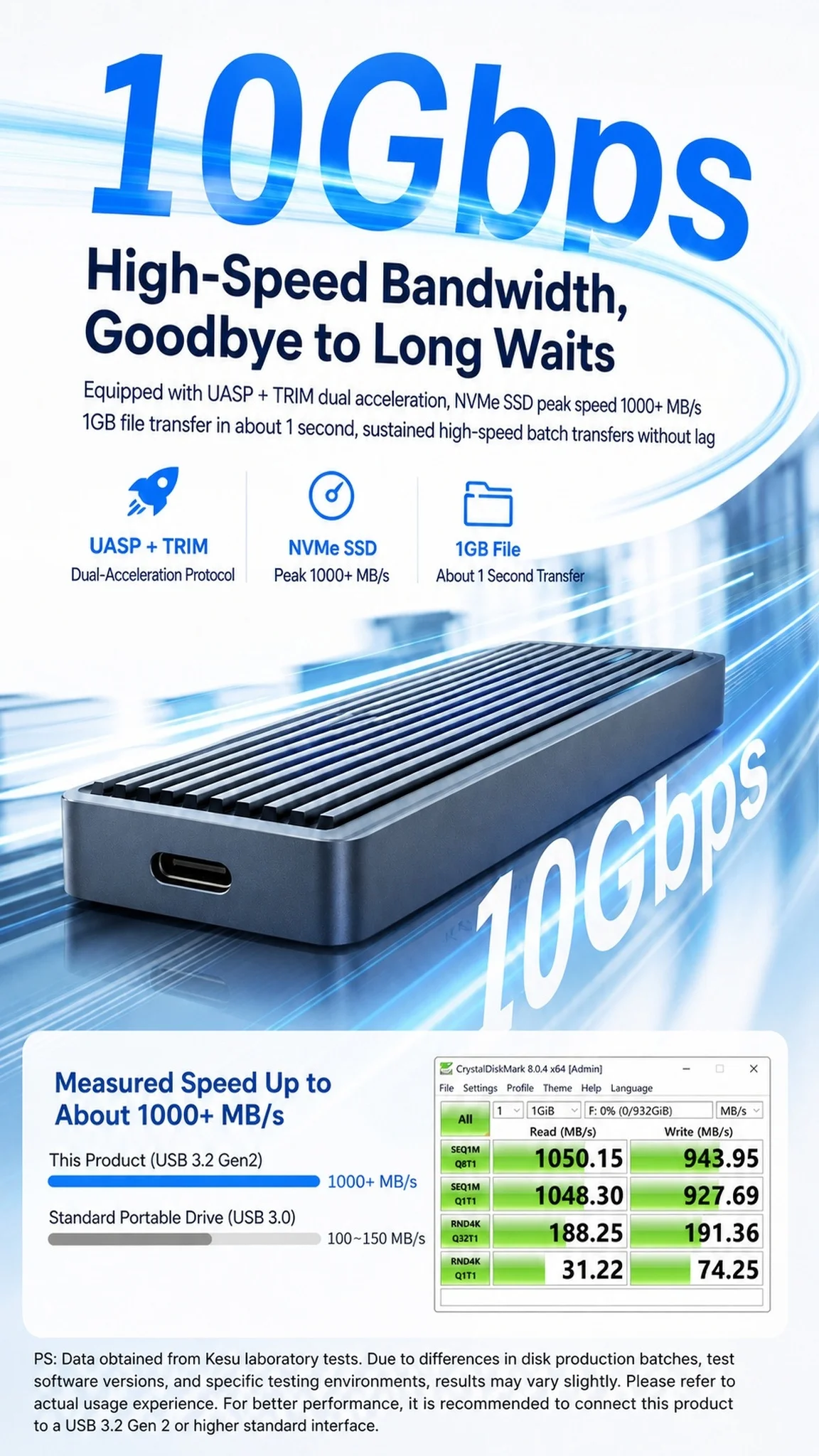
10Gbps High-Speed Transfer
UASP+TRIM Accelerated, 1GB File in 1 Second
Dual-Chip Coordination
Optimized Speed & All-Round Circuit Protection
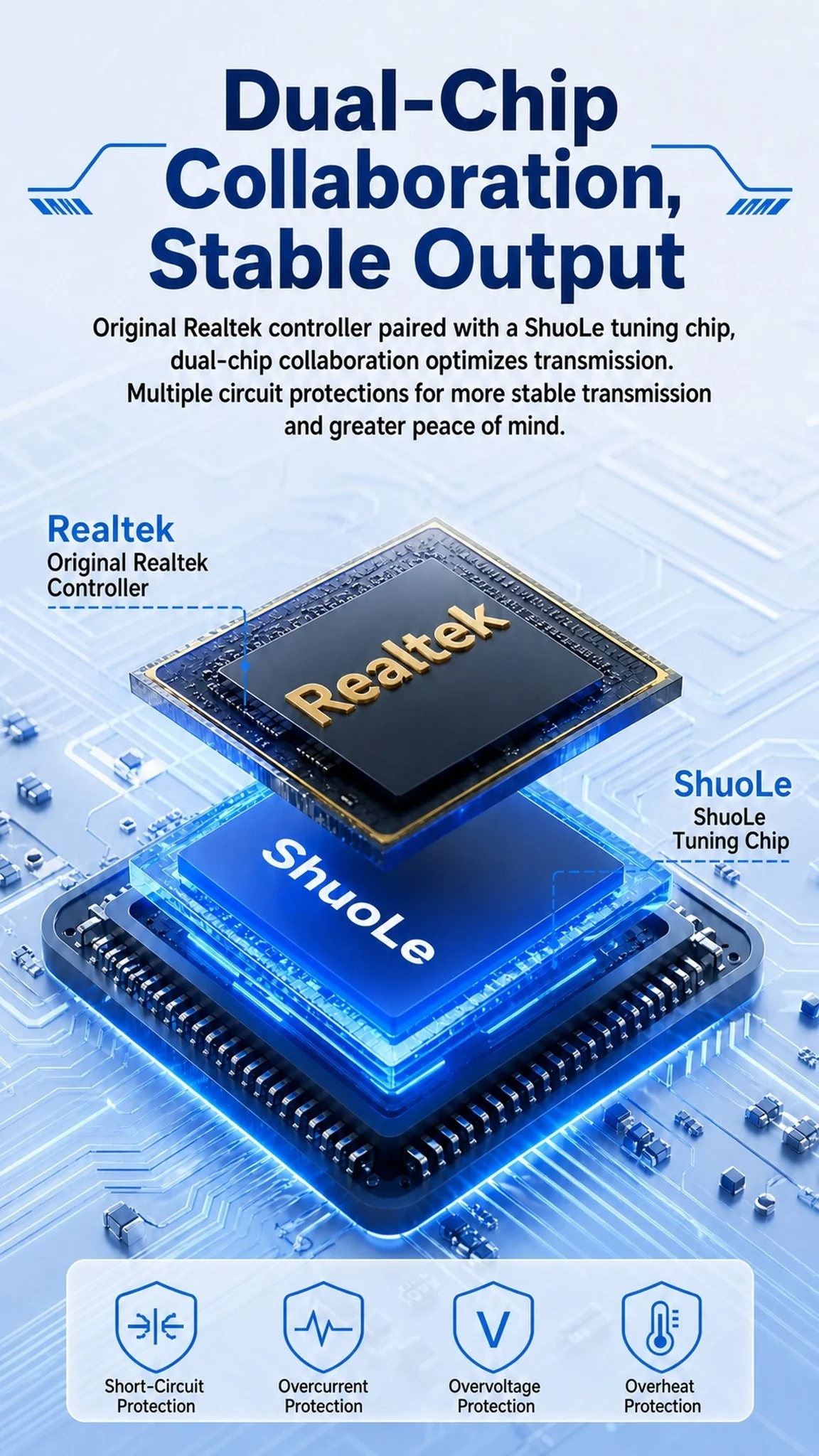
Ice-Scale Alloy Cooling
Sustained Full Speed, No Thermal Throttling
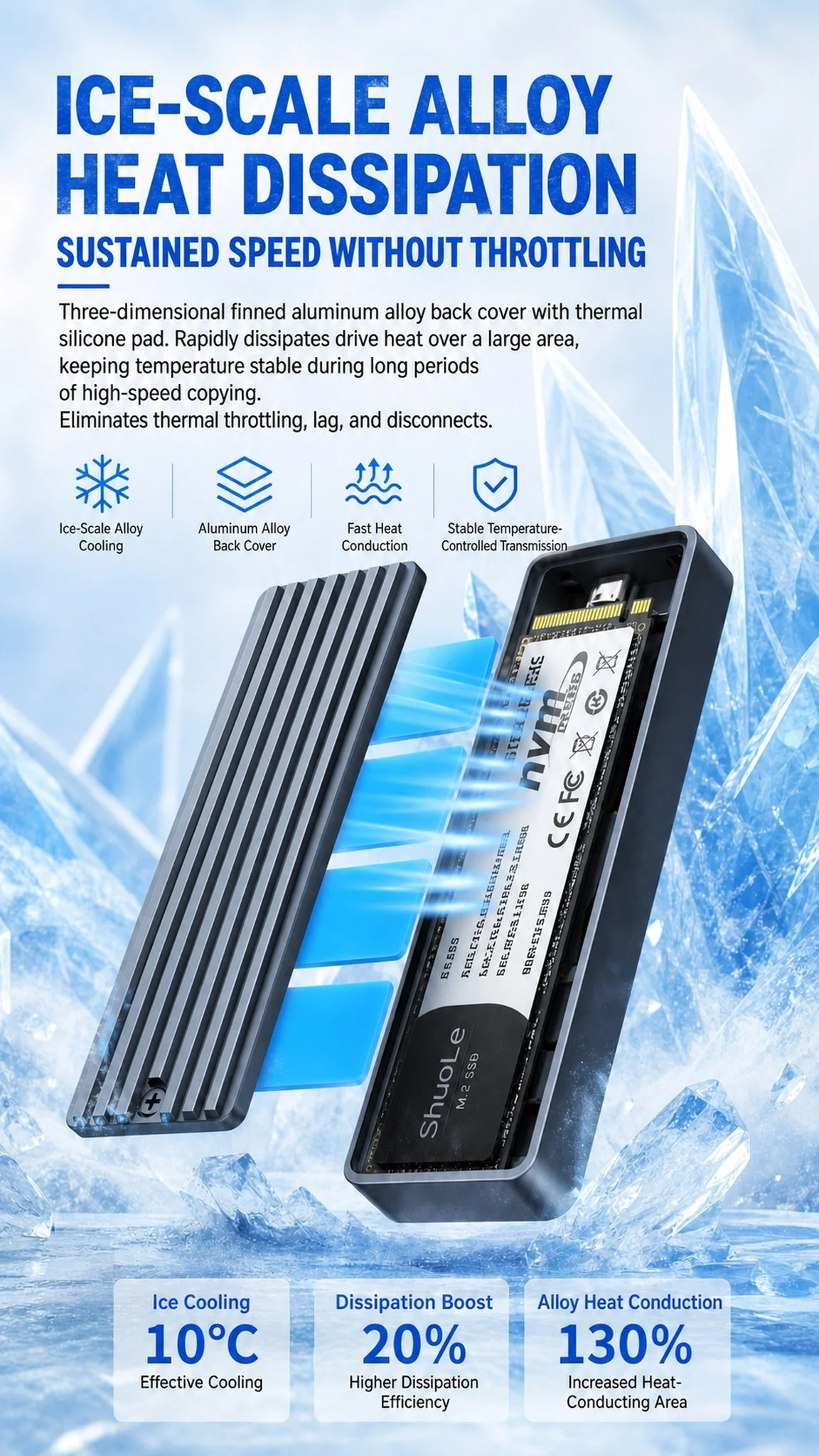
Up to 8TB Mass Storage
Store All Your Media & Project Files Freely
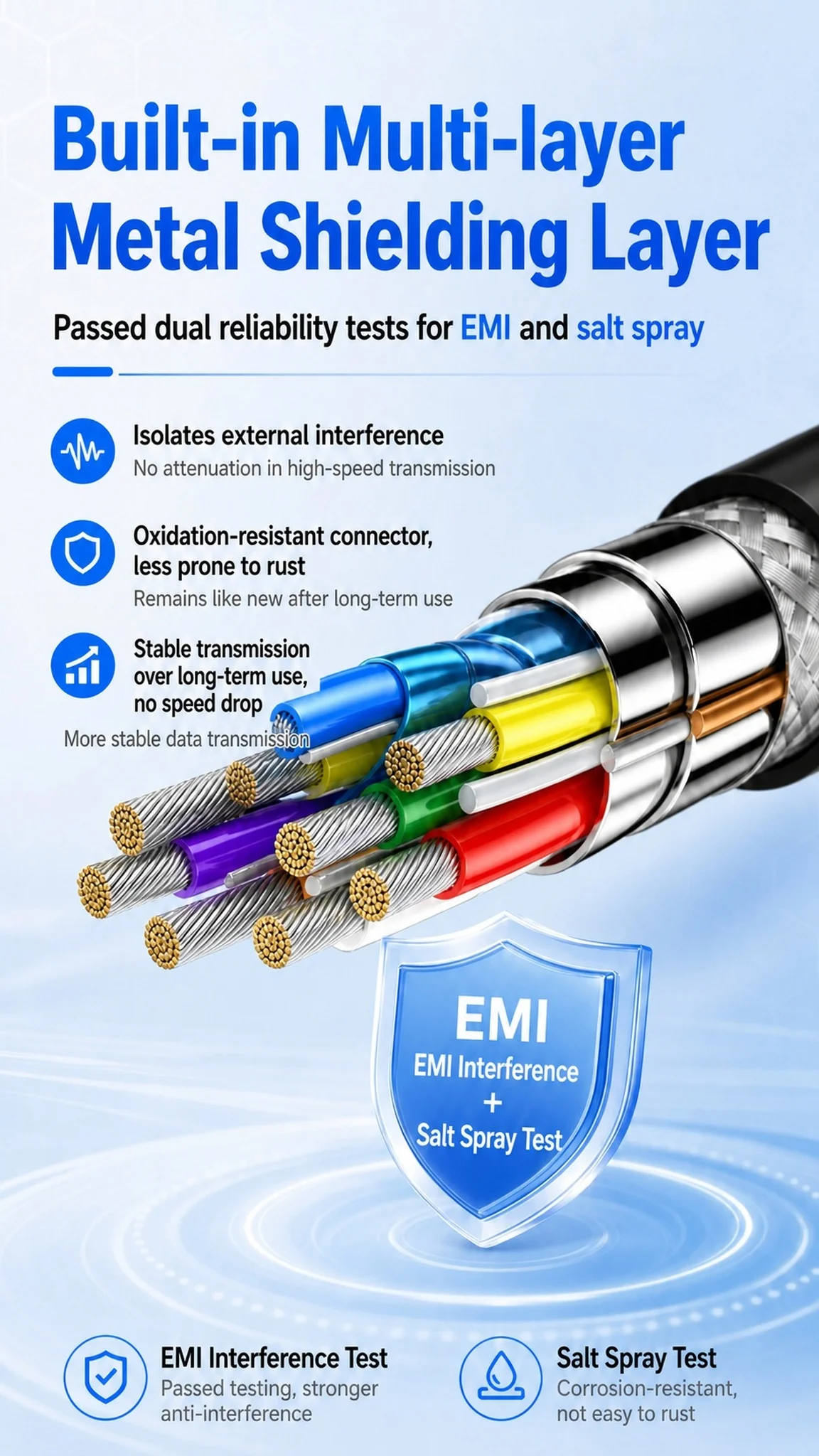
Multi-Layer Metal Shielding
Dual EMI & Corrosion Resistance Tested
 Multi-Device Compatible
Wide cross-device compatibility for higher efficiency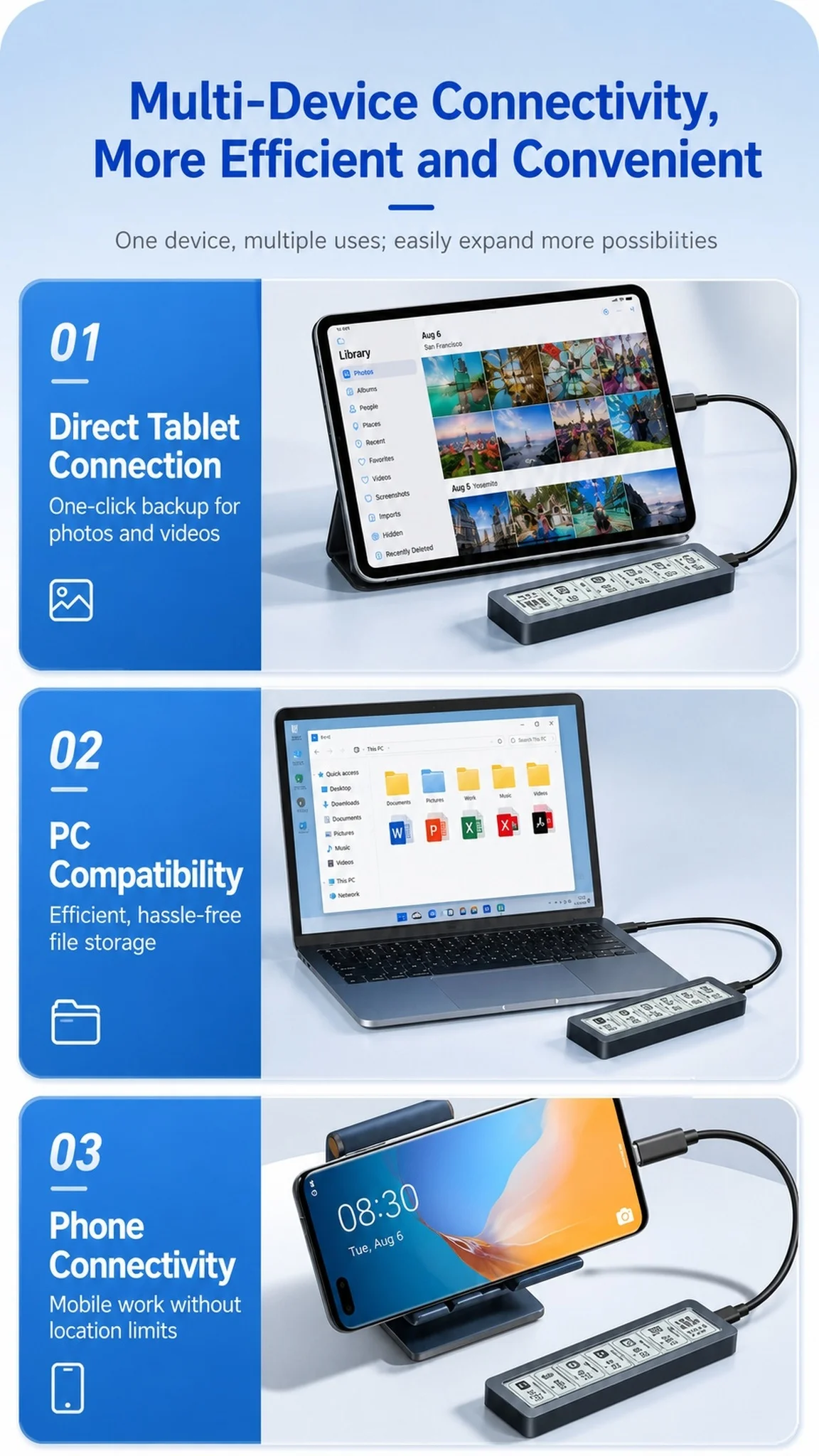
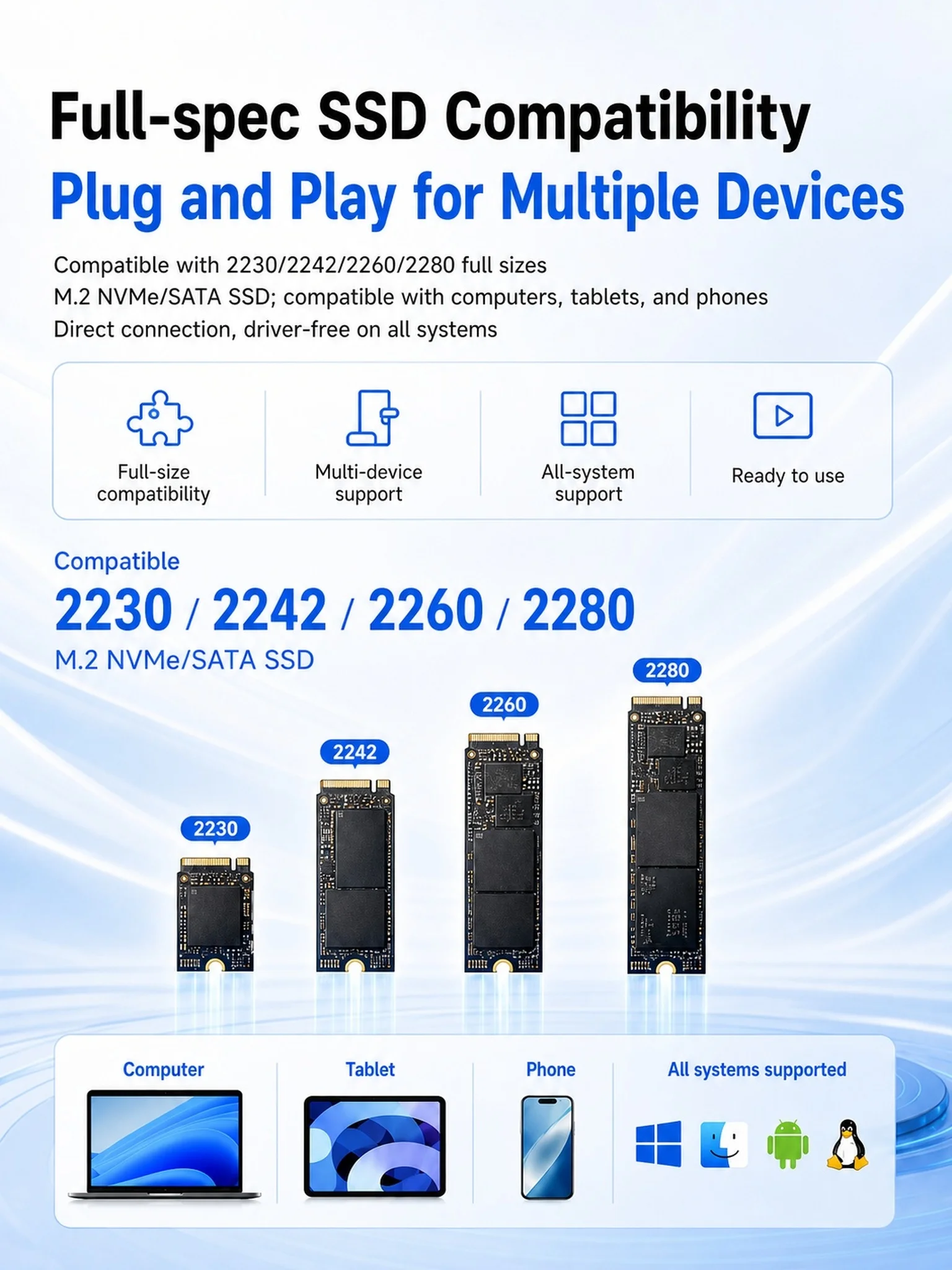
Full-Size SSD Support
Fully compatible with 2230/2242/2260/2280 NVMe & SATA M.2 SSDs. Driver-free plug-and-play on computers, tablets and phones
Hard disk health monitoring:
Come with HD display to monitor your hard drive usage in real time
Display content includes:
Disk health/Run time/Operating temperature/Total data writes/Power on/USB voltage.
The datas on the display allow you to monitor the usage of the hard disk more directly
When your hard drive health is below 100%, you need to pay attention to backup data in time.
Note: To perfectly reflect product performance (up to 10Gbps)for NVMe PCI-e
Please connect this M.2 SSD enclosure to a device with a USB 3.2 gen 2 standard interface.
The solution to the problem that the device cannot recognize the SSD through this M.2 enclosure USB C.
For a new SSD,
You should format it into Exfat or NTFS format before use, then it could be detected and used normally.
Please finish disk initialization according to the following steps.
How to start disk management?
Right-click "Computer' "Manage' "Disk Management", Find your unallocated disk, right-click "Unallocated", andchoose"New Simple Volume Wizard".
How to start disk management (in windows 10)?
Click Start -> Run -> type compmgmt.msc -> click OK. Alternatively, right-click on the My Computer icon and select'Manage'. In the console tree, click Disk Management.


You may also like
-
Lymphatic Drainage Drops Natural Herbal Lymph Support Liquid for Body Swelling Relief and Toxin Elimination 59ml 1/2/3pcs
Regular price From $14.99Regular price From $14.99 Sale priceUnit price per$17.9916% -
Rhode New Arrival Pocket Bronze Coutour Stick Face Blush Cheek Long Lasting Hydrating Face Highlighter Blush Bronzer Sculpting
Regular price From $14.99Regular price From $14.99 Sale priceUnit price per$11.99 -
RhodeSkin Peptide Lip Shape Pen Lip Liner Long Lasting Lip Tint Pencil Pen Makeup Lipstick Powder Blusher Gloss Makeup Lipliner
Regular price From $19.99Regular price From $19.99 Sale priceUnit price per$13.99 -
Rhode Powder Pocket Blush Hydrating Contouring Shading Face Nose Shadow Profile Natural Cream Lip Gloss Cheek Easy Apply Color
Regular price From $14.99Regular price From $14.99 Sale priceUnit price per$9.99


Contact Form
Fill out the form below and our team will get back to you within 24 hours.
Working Hours
- Monday - Saturday: 10:00 AM - 6:00 PM
- Sunday: Closed
Contact Information
WhatsApp: 📱 Contact us at +1 (585) 282-6773
E-mail: info@beautefashions.com